
Why listen to SDK event & how to use event listener
Why listen to the SDK event
Listening to the SDK 'i.e. currency.changed' event can enable your app to respond in real-time to user currency changes.
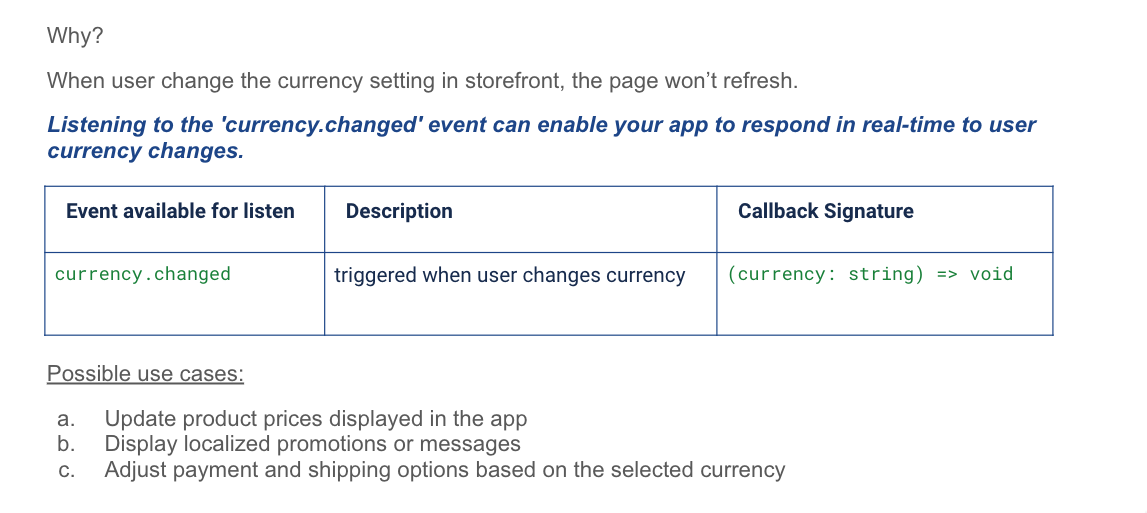
How to use event listener
Use sdk.events.addEventListener() to subscribe to an event that is available on the current storefront page.
sdk.events.addEventListener(eventName, callback, options);Parameters
| Parameter | Type | Required | Description |
|---|---|---|---|
eventName | string | Yes | The public SDK event name. |
callback | function | Yes | Receives the event payload. |
options | object | No | Listener options. Currently supports sticky. |
options.sticky | boolean | No | Set to false to disable replay for a sticky event.Default: true |
Sticky events
Some events retain their latest emitted payload. When you add a listener to a sticky event, the SDK sends that latest payload to the listener once by default.
The following PDP events are sticky:
page.variationChangedpage.quantityChanged
To receive only future emissions from a sticky event, pass { sticky: false }.
function onVariationChanged(payload) {
  console.log(payload);
}

sdk.events.addEventListener(
  'page.variationChanged',
  onVariationChanged,
  { sticky: false }
);
Adding an Event Listener
You can listen to events triggered by users' actions. Use the addEventListener function to listen to specific events.
This function takes two arguments: the name of the event, and a callback function.
// Example: listen to currency.changed event
const eventCallback = (changedCurrency) => {
  console.log(`Currency changed to ${changedCurrency}`);
}

sdk.events.addEventListener('currency.changed', eventCallback);
Removing an Event Listener
Use the removeEventListener function to stop listening to a specific event.
This function takes two arguments: the name of the event, and the same callback function you used in addEventListener.
// Example: stop listening to currency.changed event
const eventCallback = (changedCurrency) => {
  console.log(`Currency changed to ${changedCurrency}`);
}

sdk.events.addEventListener('currency.changed', eventCallback);
...

// Stop listening
sdk.events.removeEventListener('currency.changed', eventCallback);
Updated 2 months ago